WAVEFIX · Watch face

A classic chronograph, made for WRISTFIX.

WAVEFIX is a free Wear OS watch face with an engraved wave dial, raised numerals and blue leaf hands. It has a working chronograph, the date, the moon phase and, at 9 o'clock, your boat's speed, depth or wind from WRISTFIX.

FREEWear OS 6+ChronographMoon phaseAlways-on
WAVEFIXThe watch face
RDRP CronoRuns the chronograph · free

Coming soon to Google Play.
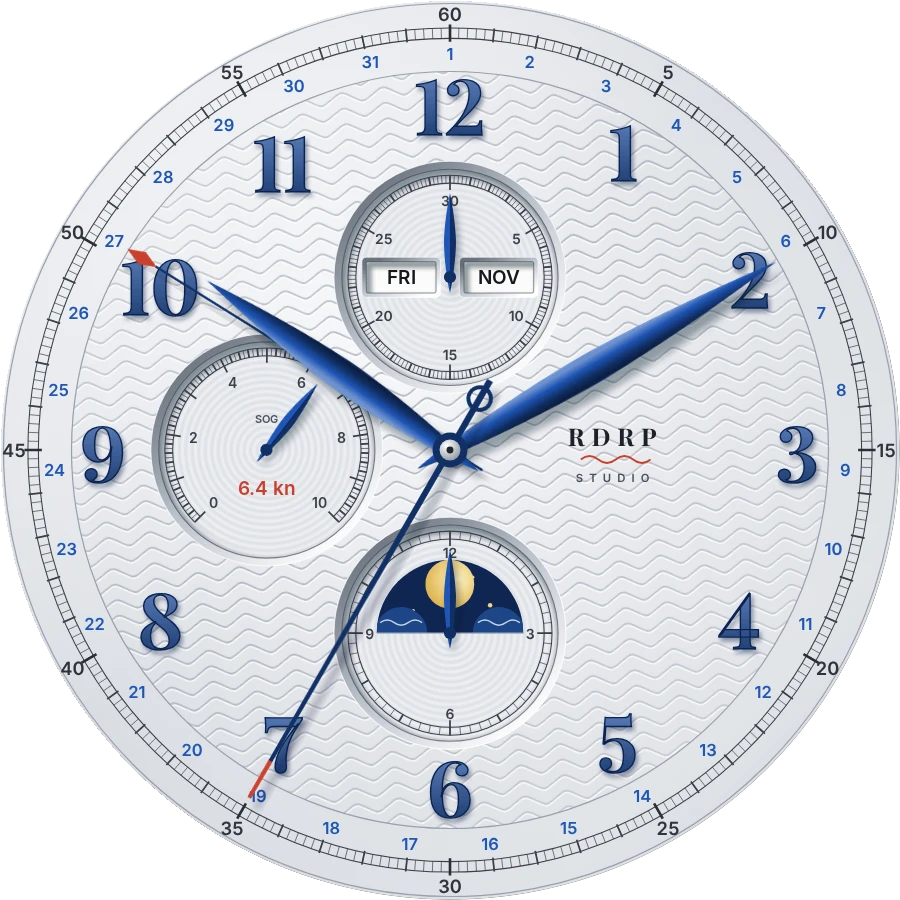
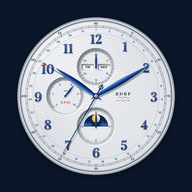
The WAVEFIX dial: white wave-engraved face with blue numerals, three sunken subdials and blue leaf hands

The dial

Everything has its place.

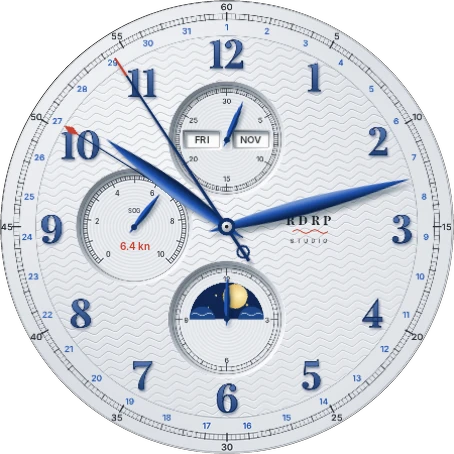
Every hand does a real job. The subdials are sunk into the dial with a bevel, as on a mechanical chronograph.

Centre

Hours, minutes and seconds

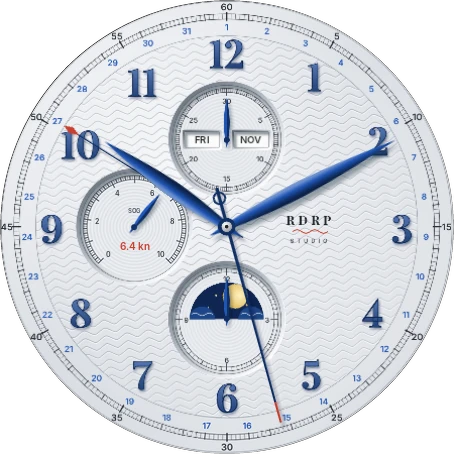
Blue cylindrical hands, plus a long central seconds hand that sweeps smoothly. When the chronograph is reset, it shows the seconds of the time.

12 o'clock

30-minute counter

Counts the chronograph minutes. Inside it, two windows show the day of the week and the month, in your watch's language.

6 o'clock

12-hour counter and moon

Counts the chronograph hours. Above it, the real moon phase: the moon rises over the waves.

9 o'clock

Your boat's data

A scale and a hand for the value you choose from WRISTFIX, with its reading and unit. Tap it to open WRISTFIX.

Outer ring

Date hand

The red-tipped hand points to the day of the month on the blue 1–31 scale.

Screen off

Always-on mode

A simple dark version with the hour and minute hands, to save battery.

Chronograph

Two taps, like the pushers of a real chronograph.

  1. Tap the top subdial to start the chronograph. Tap it again to stop it, and again to carry on.
  2. Tap the bottom subdial, with the chronograph stopped, to reset it to zero.
  3. It keeps counting with the screen off or while you use other apps.

The chronograph is run by the free RDRP Crono app, which WAVEFIX needs. The hands move without the app open, so it uses no extra battery.

WAVEFIX with the chronograph running
WAVEFIX showing the time with the chronograph reset

Boat data

Your boat at 9 o'clock.

With WRISTFIX installed, the 9 o'clock subdial shows one value from your boat, live. Speed, depth and wind get a hand and a scale; the other values are shown as text. Choose it in the watch face settings:

SOGSTWDepthTrue windApparent windCOGHeadingWater temperature

Long-press the watch face, tap Customize, select the 9 o'clock subdial and pick a WRISTFIX value. Without WRISTFIX, the subdial works with any other complication that shows a value or a short text.

Units follow WRISTFIX

  • Speed in knots, km/h or mph.
  • Depth in metres, feet or fathoms.
  • The scale adapts to the unit: 0–10 kn for speed, 0–50 m for depth, 0–40 kn for wind.

Install

Two free apps, in this order.

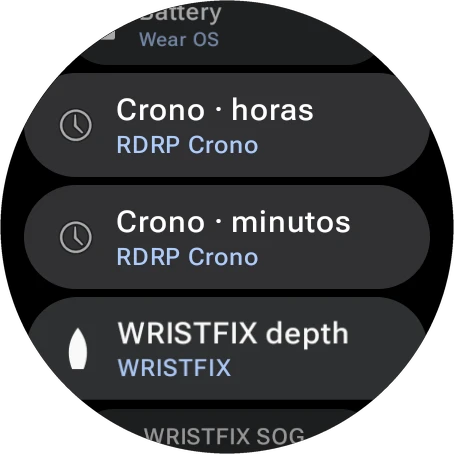
  1. Install RDRP Crono from Google Play on your watch. It adds the chronograph complications "Crono · minutes" and "Crono · hours".
  2. Install WAVEFIX and set it as your watch face. The chronograph subdials connect to RDRP Crono by themselves.
  3. Optional: install WRISTFIX to show your boat's data at 9 o'clock.

Installed WAVEFIX first? A notice on the dial reminds you to install RDRP Crono. Once it is installed, long-press the watch face, tap Customize and choose RDRP Crono for the top and bottom subdials.

The complication list with the RDRP Crono complications

FAQ

Good to know.

Is it really free?

Yes. WAVEFIX and RDRP Crono are free, with no ads and no in-app purchases. WAVEFIX was made to go with WRISTFIX, which is a paid app.

Which watches does it work on?

Watches with Wear OS 6 or later, such as recent Samsung Galaxy Watch and Google Pixel Watch models.

Do I need WRISTFIX?

No. Without WRISTFIX the watch face and the chronograph work normally, and the 9 o'clock subdial can show another complication or stay empty.

Why are there two apps?

A Wear OS watch face cannot run code of its own. RDRP Crono keeps the chronograph's time and sends it to the dial.

What data do they collect?

None. Read the privacy policy.