
Man overboard, with one long press
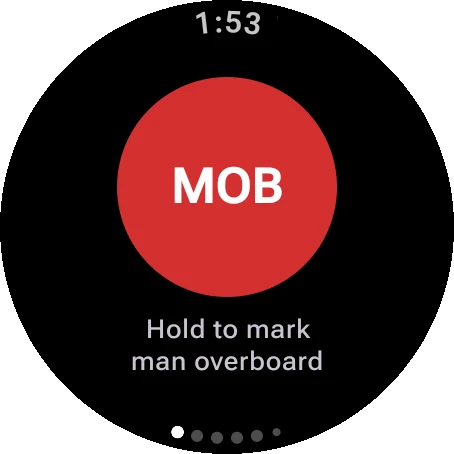
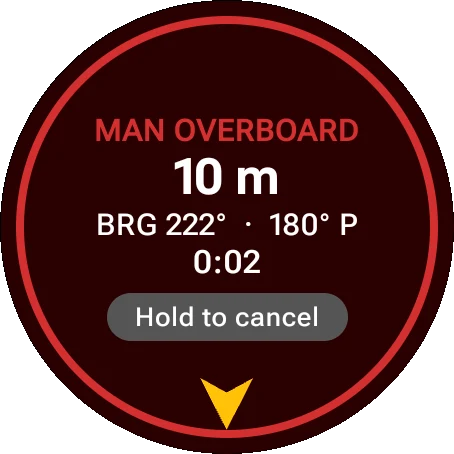
Hold the red button and WRISTFIX saves the position, then guides you back with distance, bearing and an arrow. It can also send the MOB to your chartplotters over NMEA 2000, NMEA 0183 or SignalK.
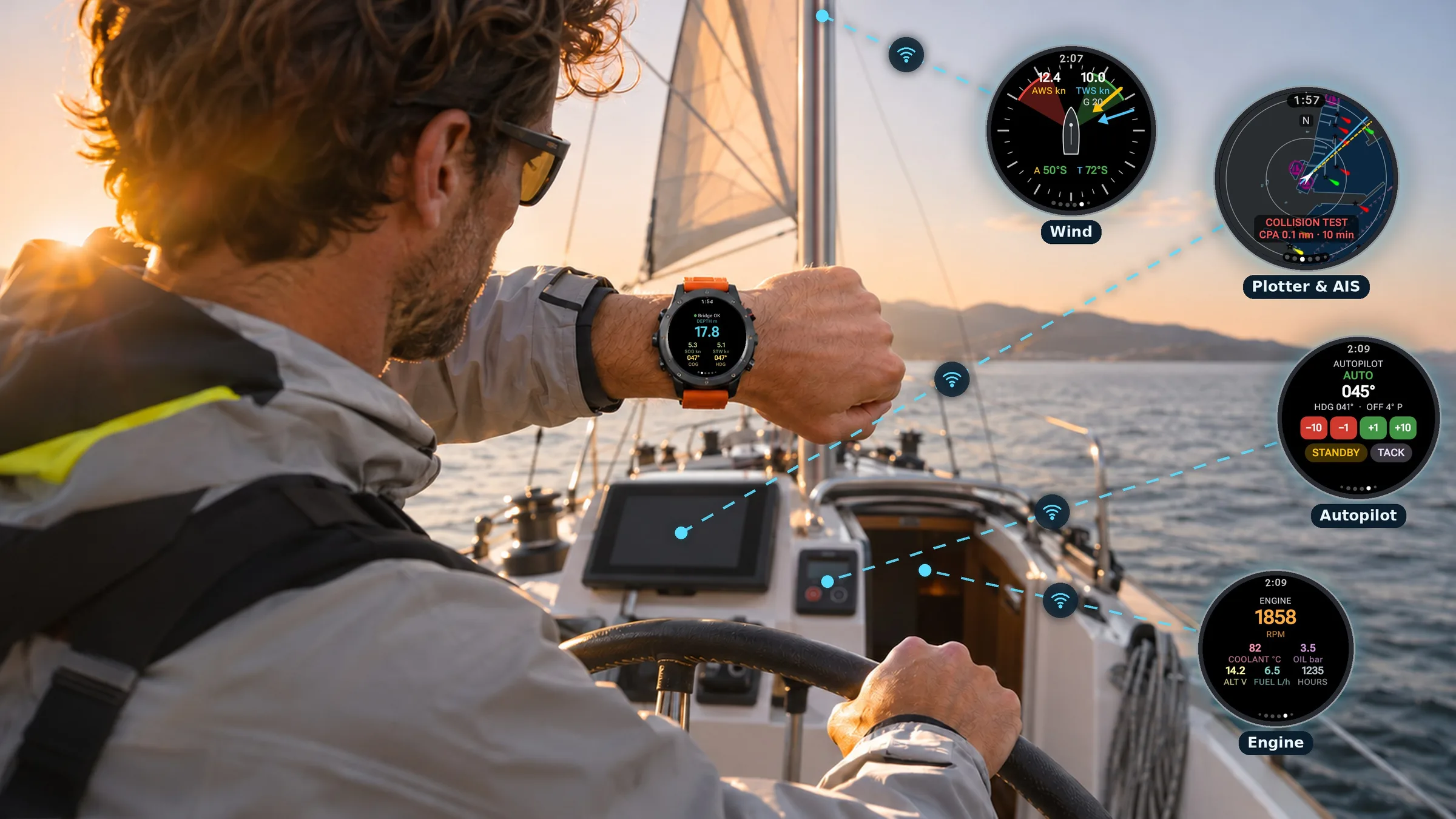
WRISTFIX brings depth, wind, AIS traffic, your anchor watch, autopilot and engine to your Wear OS watch, live from your boat's network. Keep your eyes on the water and your hands on the helm.
How it works
The phone does all the work, so the watch battery lasts. Nothing is installed on the boat: WRISTFIX uses the WiFi gateway you already have, or any standard one.
01
Chartplotter, depth, wind, AIS, autopilot and engine share data on NMEA 2000 or NMEA 0183.
02
A WiFi bridge or a SignalK server puts that data on the boat's WiFi.
03
Finds the gateway by itself, decodes the data and runs the alarms, even with the screen off.
04
Eleven pages at a glance, a tile and complications, updated every second.
On the watch
Swipe, turn the bezel or tap to move between pages. Each kind of value keeps its own colour on every page, and red always means an alarm.
Hold the red button and WRISTFIX saves the position, then guides you back with distance, bearing and an arrow. It can also send the MOB to your chartplotters over NMEA 2000, NMEA 0183 or SignalK.
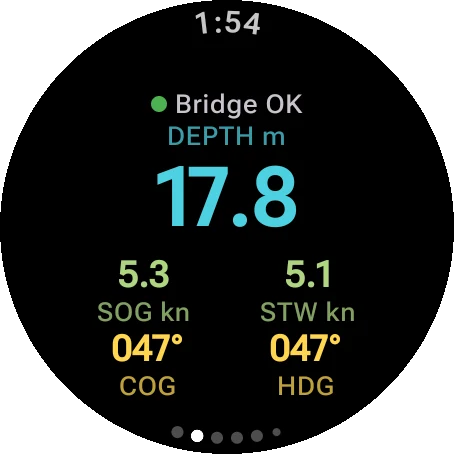
Depth in large figures, speed over ground and through water, course and heading. Shallow water turns it red.
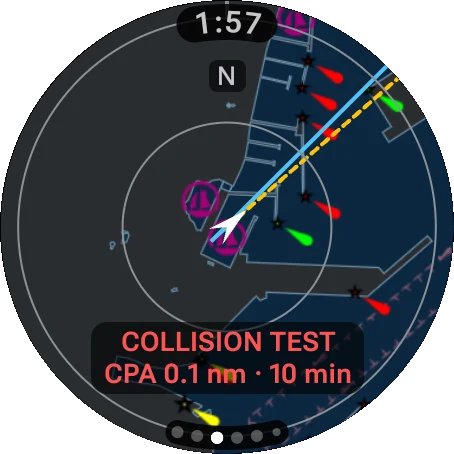
Your boat, track and course on a chart, with every AIS ship around you and a collision warning based on CPA.
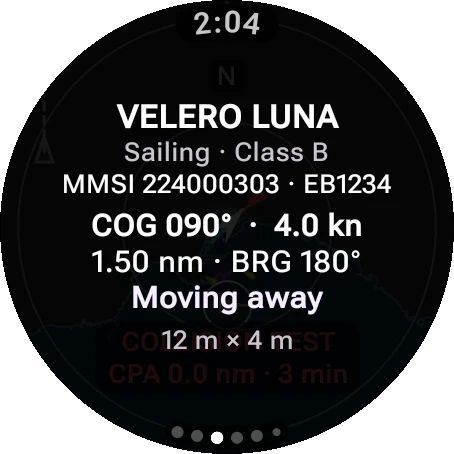
Name, type, MMSI, call sign, course, speed, CPA, destination and size, just like on a chartplotter.
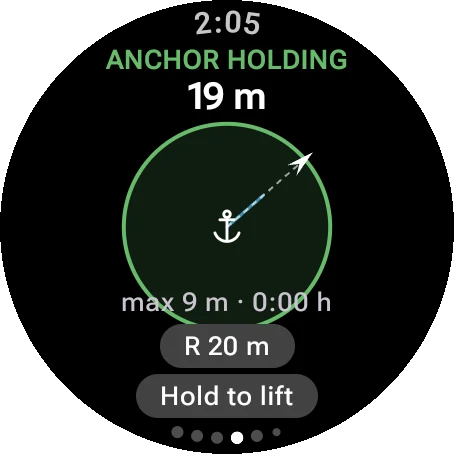
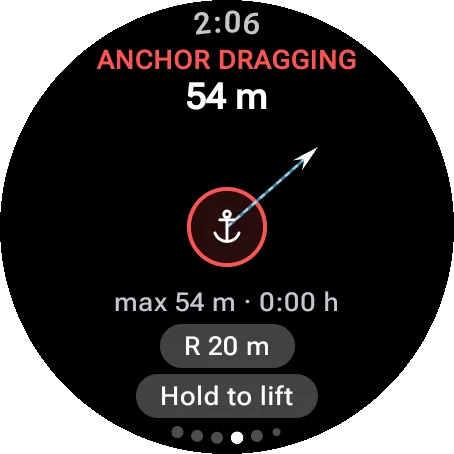
Drop the anchor with a long press and choose the swing radius. If the boat drags or the GPS is lost, the watch vibrates and the phone sounds an alarm, every minute until you act.
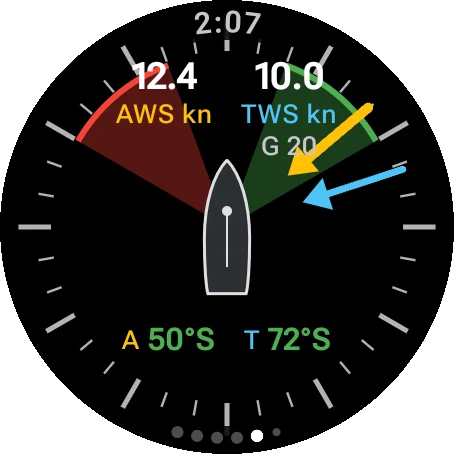
Apparent and true wind on a dial with close-hauled sectors, plus the strongest gust of the last ten minutes.
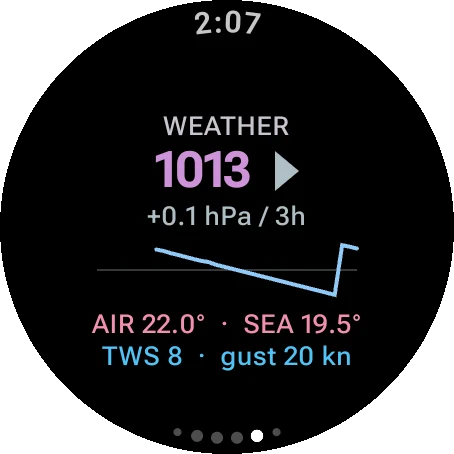
Barometric pressure with a 3-hour trend and barograph, and a warning when it falls fast.
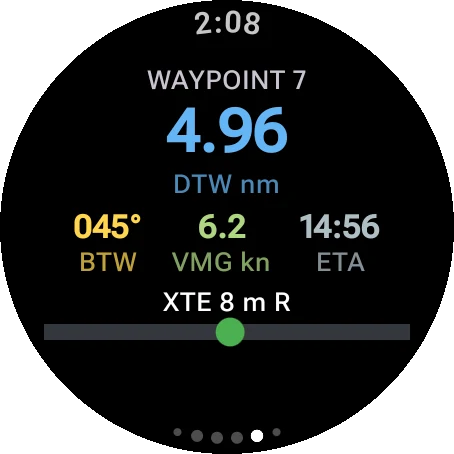
Distance, bearing, VMG and ETA to the next waypoint of your route, with the cross-track error.
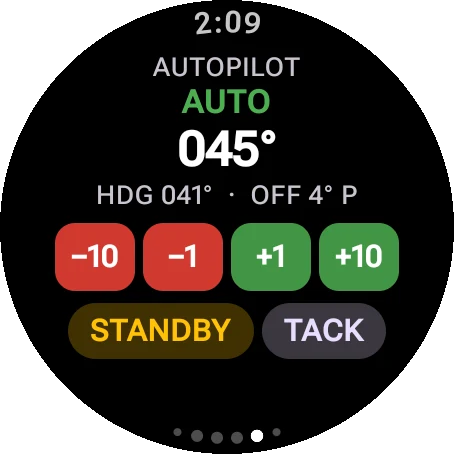
Engage, standby, ±1° and ±10°, and tack, for Raymarine Evolution, Simrad, B&G and SignalK pilots. Optional.
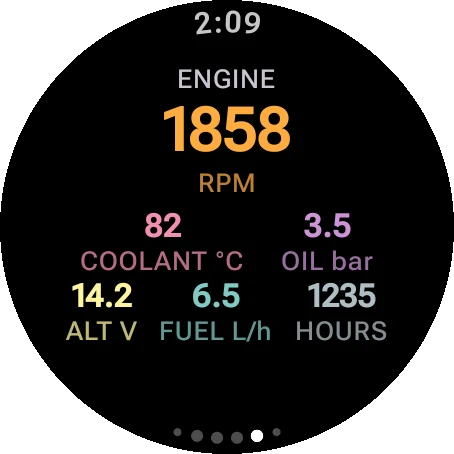
RPM, coolant temperature, oil pressure, alternator, fuel rate and engine hours, with alarms.
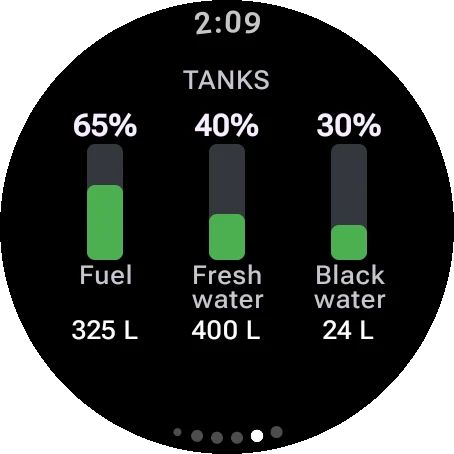
Fuel, water and holding tanks with your own names and the litres or gallons left.
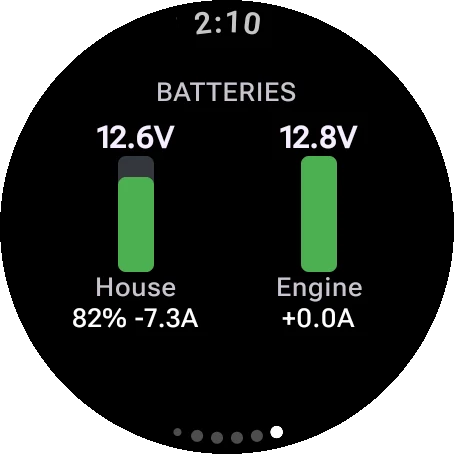
Voltage and charge of each battery bank, named your way, with a low-battery alarm.
On the phone
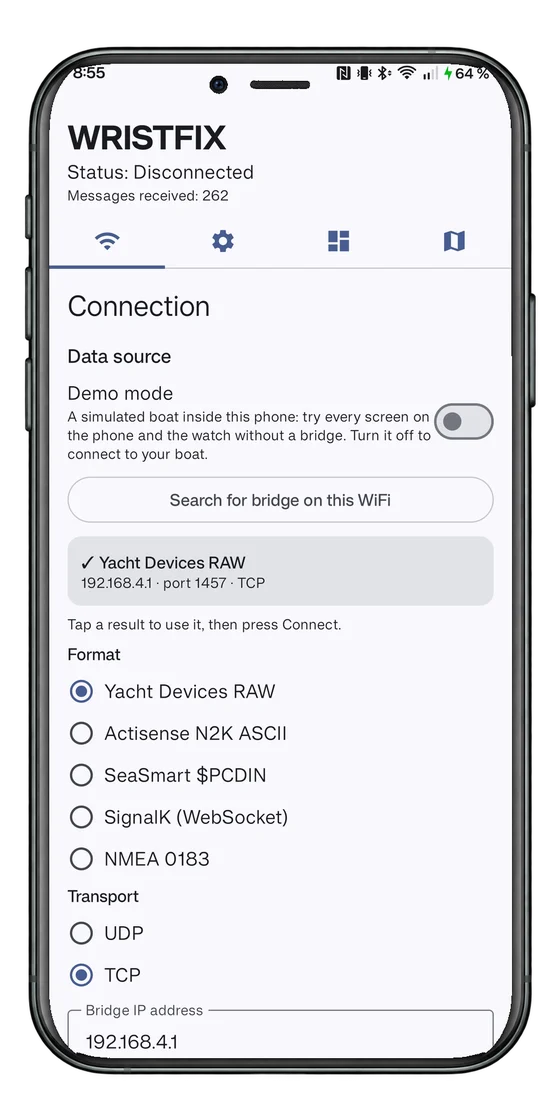
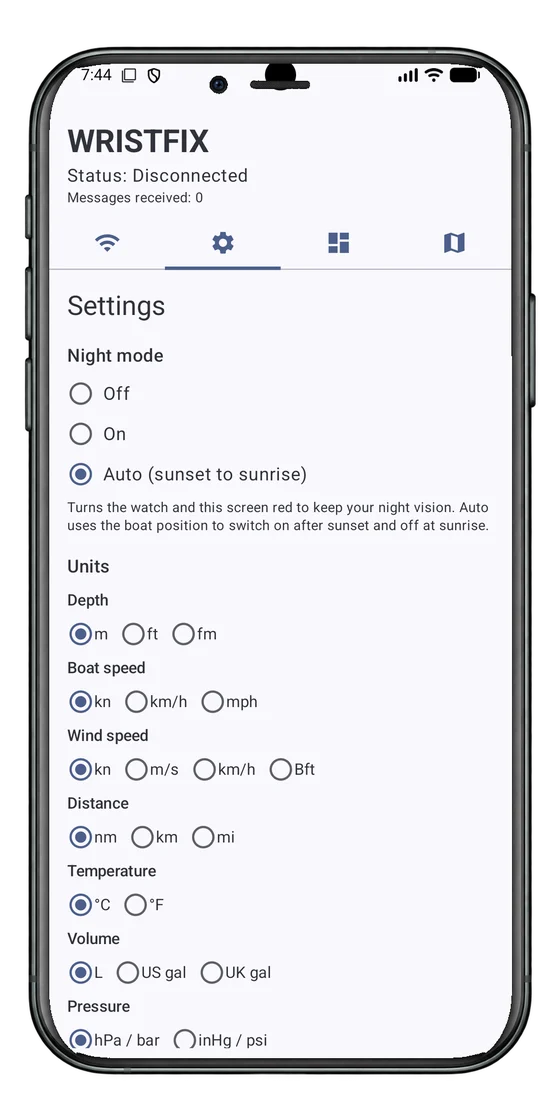
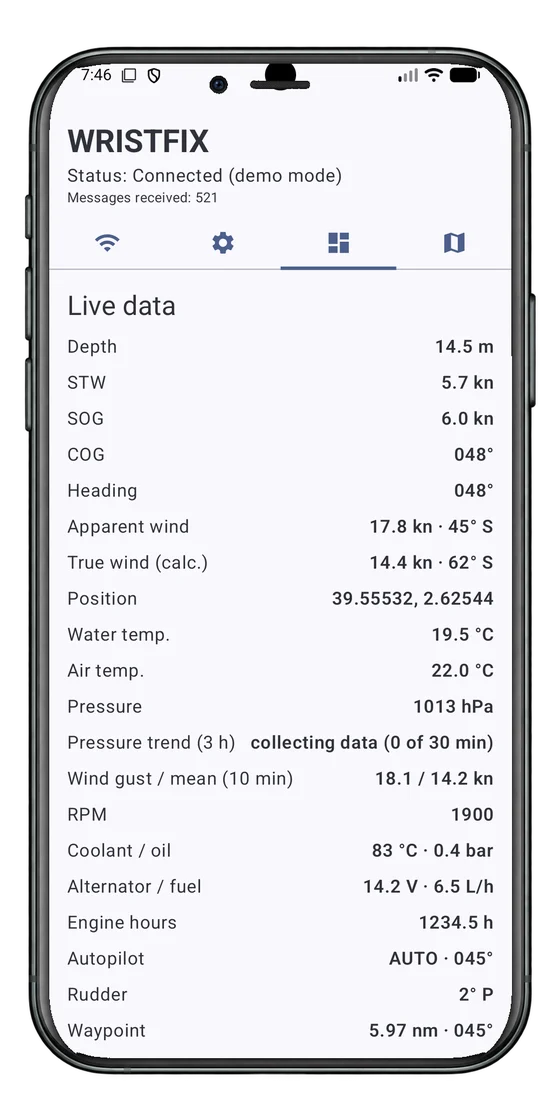
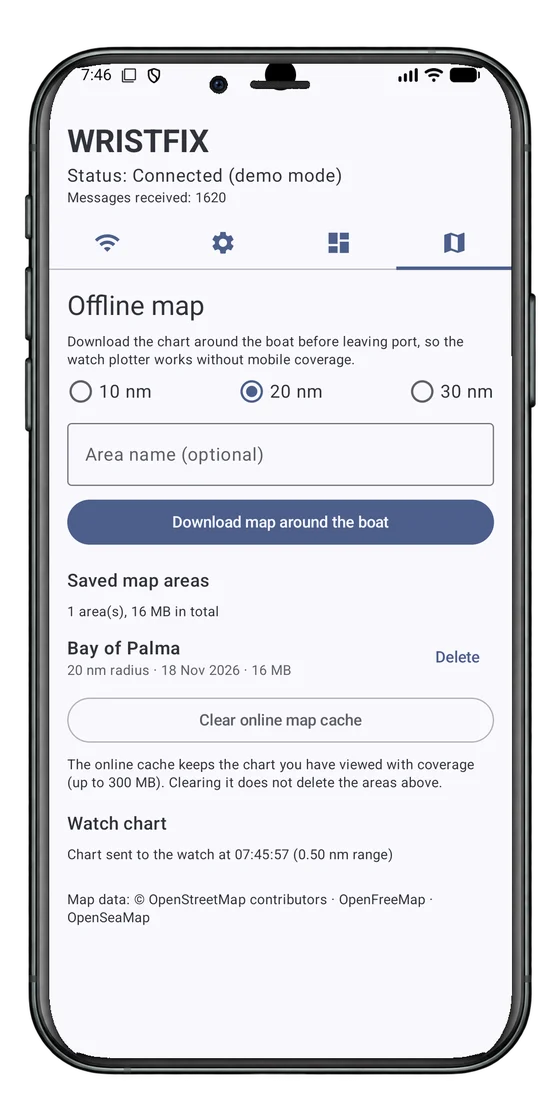
The phone app connects to the boat, runs the alarms in the background and keeps your watch up to date.
Compatibility
Choose the format in your gateway's settings, or let WRISTFIX detect it.
| Format | Typical devices |
|---|---|
| Yacht Devices RAW | Yacht Devices YDWG-02, YDEN-02 and similar NMEA 2000 gateways |
| Actisense N2K ASCII | Actisense W2K-1 and compatible gateways |
| SeaSmart $PCDIN | SeaSmart / Chetco and some Digital Yacht gateways |
| SignalK | SignalK server on a Raspberry Pi or OpenPlotter, Victron Cerbo GX with SignalK |
| NMEA 0183 | Any NMEA 0183 WiFi multiplexer, AIS transponders with WiFi |
Demo mode
Turn on demo mode and a simulated boat sails in the Bay of Palma, with wind, depth, a route, engine, tanks, batteries, three AIS ships (one on a collision course) and an autopilot you can steer from the watch.
User manual
Installation, connecting to your boat, each watch page, man overboard, anchor alarm, autopilot control, offline charts and troubleshooting.
Download the manual · PDF, EnglishMatching watch face · Free
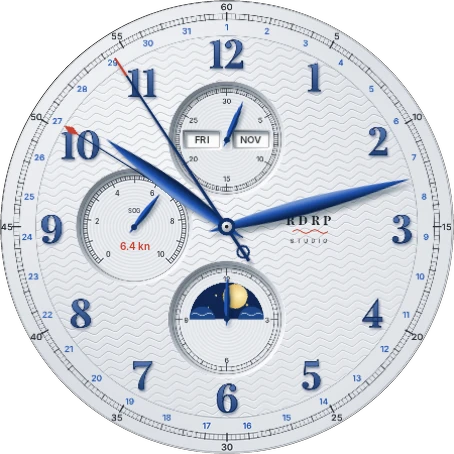
A free Wear OS watch face made for WRISTFIX, with a working chronograph, date, moon phase and an engraved wave dial. Its 9 o'clock subdial shows your speed, depth or wind from WRISTFIX.
FAQ
No. WRISTFIX needs an Android phone and a Wear OS watch paired with it.
No. The phone connects to the boat and sends the data to the watch, so it must stay on board within Bluetooth range.
Only if you have no WiFi gateway. Any of the gateways in the compatibility table, or a SignalK server, is enough.
No. If the gateway's WiFi has no internet, Android keeps using mobile data for everything else, and WRISTFIX downloads charts over it. With a router on board, the phone has internet over WiFi.
Only if you enable autopilot control and confirm the warning. It sends the same commands as your pilot's own control head. The man overboard function never sends commands to the autopilot.
No. The watch chart is drawn from OpenStreetMap, OpenFreeMap and OpenSeaMap data to help you see where you are. It is not an official nautical chart.
None. Your boat's data stays on your phone and watch. Read the privacy policy.
WRISTFIX is in final testing. One app for your phone and your Wear OS watch.